GOING FORWARD PHOTONIQUE WILL BE ADVERTISMENT FREE
GOING FORWARD PHOTONIQUE WILL BE ADVERTISMENT FREE
Originally Photographed Not Specified
Long Live The Real iMac
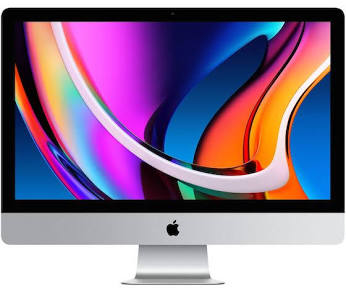
This time last year I purchased 3 Mac Minis, different configurations and well Mac Studio Ultra as I needed to phase out my Intel based machines but I continued to use my most recent 27 inch iMac which now I use to control and manage my servers. I will try to get this machine to survive another two years as I really like it. But from now on it will not be possible to update the software. I also use the iMac as a mail server.
Following the WWDC 2026 keynote, Apple officially drew a line in the sand regarding its hardware architecture. As previewed at last year's event, macOS Golden Gate (macOS 27) is the historic first release of modern macOS to drop support for Intel-based processors entirely.
If you are running an Intel machine, your hardware has hit a structural ceiling. The operating system now compiles strictly for ARM64 architecture, focusing its development resources entirely on optimising execution loops for custom Apple Silicon engines.
The precise breakdown of what is supported and what has been phased out follows below.
The Official macOS Golden Gate Compatibility List
To install macOS Golden Gate when it sees public release this autumn, you will require a Mac equipped with an M-series system-on-a-chip (or the newly classified mobile architecture variants found in portable lines).
Mac Hardware and Supported Models MacBook Air M1 (2020) and newer MacBook Pro M1 (2020) and newer Mac mini M1 (2020) and newer iMac M1 (2021) and newer Mac Studio M1 Max / Ultra (2022) and newer
Mac Pro M2 Ultra (2023) and newer MacBook Neo A18 Pro (2026) and newer
Note on Legacy Code: While Golden Gate requires Apple Silicon to boot, it remains the final major macOS release to include the complete Rosetta 2 translation layer. This means that while your hardware must be modern, your legacy Intel-compiled standalone applications and utility binaries will continue to execute normally via local translation.
The Dropped Models: The End of the Intel Era
Four final flagship Intel machines that successfully ran last year's macOS Tahoe (macOS 26) have been removed from the lifecycle roster. These specific machines will no longer receive feature updates, transitioning instead into a traditional three-year security patch lifecycle:
MacBook Pro (16-inch, 2019) — Intel Core i7 / i9
MacBook Pro (13-inch, 2020, Four Thunderbolt 3 Ports) — Intel Core i5 / i7
iMac (27-inch, 2020) — 10th Gen Intel Core (I had two)
Mac Pro (2019) — Intel Xeon W
Why the Pruning Occurred Now
The shift is primarily driven by memory architecture and vector pipeline requirements. Golden Gate’s advanced desktop imaging features—such as Spatial Reframe canvas extensions and local multi-modal indexing within Spotlight—rely heavily on the unified memory architecture and localised Neural Engine matrix blocks native to Apple Silicon. Attempting to translate these high-throughput background tasks to traditional PCIe-bound Intel architectures or independent AMD Radeon graphics pipelines simply introduced unacceptable latency during field testing.
* January 2026: High Resolution Images * February 2026: High Resolution Images * April 2026: High Resolution Images